Inputs
- Image(s): Source image.
- Mask: (Optional) Mask.
Inputs
Widgets
Outputs
Finds and draws contours (shapes) from an image. Can overlay bounding boxes and visual debug info.
| Widget | Type | Description |
|---|---|---|
| Min/Max Area | Float | Filter small noise or large shapes. Range 0.0-1.0 (percent of image). |
| Show BBox | Bool | Draw a bounding box around each detected shape. |
| Use Original | Bool | If true, draws on top of the input image. If false, draws on a black background. |
Inputs
None
Widgets
Outputs
Creates a blank, solid-color image of a specified size. Useful as a background canvas or for masking.
Inputs
Widgets
Outputs
Simulates thousands of particles moving through a fluid-like “flow field” driven by the structure of your input image. Uses edge detection (Sobel) to guide particles along the contours of the image.
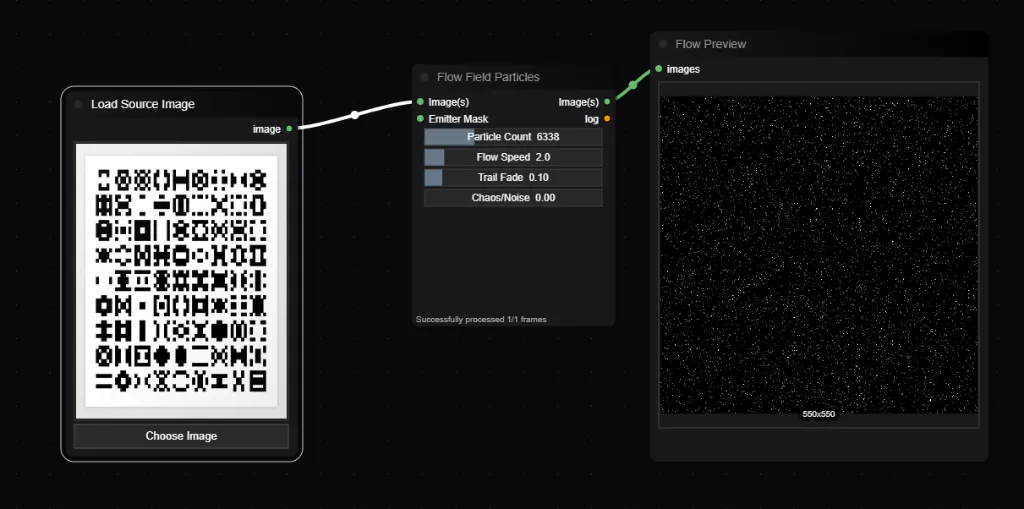
| Widget | Type | Description |
|---|---|---|
| Particle Count | Int | Number of particles. (Max 20,000). |
| Trail Fade | Float | How quickly trails vanish. 0.1 = long trails, 0.9 = short dots. |
| Chaos | Float | Adds random noise to the movement angle for organic effects. |
Inputs
Widgets
Outputs
Generates a checkerboard or line grid pattern.
Inputs
Widgets
Outputs
Generates complex procedural noise using algorithms like Perlin, Ridged Multifractal, and Hetero Terrain. Essential for displacement maps and organic textures.
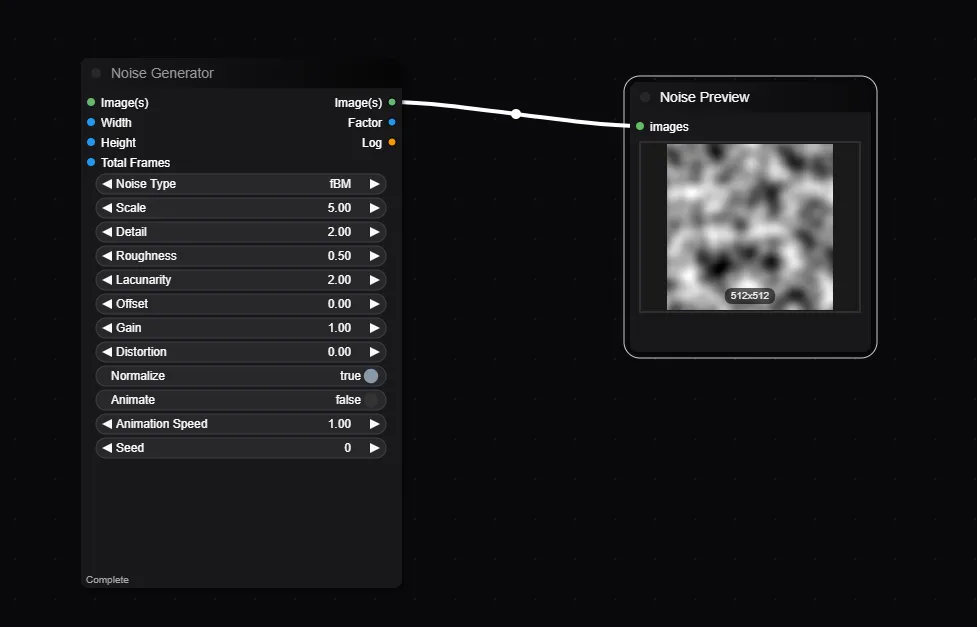
| Widget | Type | Description |
|---|---|---|
| noise_type | Dropdown | The noise algorithm. Ridged creates vein-like structures; fBM is standard clouds. |
| scale | Float | Frequency. Lower = smooth, Higher = granular. |
| detail | Float | (Octaves) Adds fine detail. Higher values (>4) look “crunchy”. |
| roughness | Float | How much each detail layer contributes. |
| lacunarity | Float | Controls the scale of each detail layer. |
| offset | Float | Shifts the noise pattern. |
| gain | Float | Multiplier for the noise output. |
| distortion | Float | Warps the noise domain. |
| normalize | Bool | content_scale the output to 0.0-1.0 range. |
| animate | Bool | Enables time-based animation. |
| animation_speed | Float | Speed of the animation if enabled. |
| seed | Int | Random seed for reproducibility. |
| Width | Int | Output image width. |
| Height | Int | Output image height. |
| Total Frames | Int | Number of frames to generate. |
Inputs
Widgets
Outputs
Sorts the pixels of an image based on values like brightness or hue. This creates a “glitch art” effect where pixels seem to melt or streak.
| Widget | Type | Description |
|---|---|---|
| Threshold | Int | Pixels above this brightness value are sorted; others stay fixed. |
| Angle | Float | Direction of the sort streaks (0 = Horizontal). |
| Max Travel | Int | Maximum length of any single sort streak. |
| Pixel Size | Int | Size of the sorting blocks. Higher = chunkier effect. |
| Randomness | Float | Adds noise to the cut thresholds for a more organic look. |